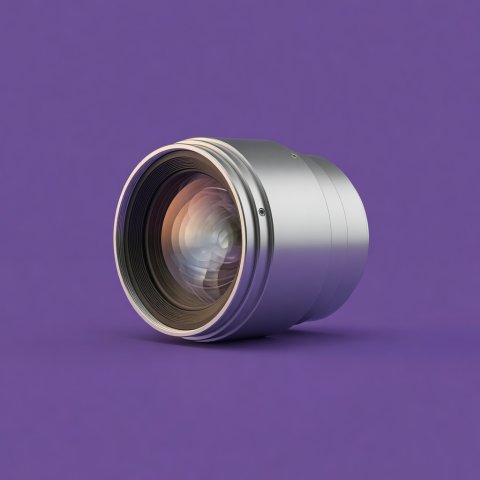
Image planning without the spec-sheet shortcut
Private cinema picture design begins with what the viewers want to watch and how they want to watch it. A film image that occupies much of the field of view can feel intimate and enveloping; the same scale may be tiring for someone who prefers a relaxed glance across the whole frame. The room should help make that preference visible before a display format is chosen.
Describe the viewing experience
List the usual content: films, television, sport, games, live performance or a mixture. Note whether subtitles are common, whether the room is used in daylight, and whether viewers pause or move between activities. These details can influence preferred image size, brightness, screen surface and the way the room controls ambient light.
Set the primary seat position first. Mark screen boundaries at full scale and test the view from each likely seat. Consider the vertical relationship between the viewer and the image, not only the distance. A screen placed too high can be uncomfortable over a long programme; a screen that conflicts with a central speaker, cabinetry or a decorative feature may force a compromise elsewhere.
Projection and direct-view displays
Projection can create a large image with a screen surface that has a restrained presence when the room is not in use. It needs a suitable throw path, a location for the projector, attention to light control and practical access for maintenance. The lens path must remain clear of people, fixtures and doors. A projector enclosure or concealed housing needs to manage heat and noise while remaining serviceable.
A direct-view display can offer a bright image and may be easier to accommodate where ambient light is difficult to control. It still needs a considered position, suitable mounting, cable routes, ventilation and a plan for how the screen relates to the interior when switched off. Large-format displays can also have significant delivery and installation requirements, so access routes and wall structure matter.
| Consideration | Projection | Direct-view display |
|---|---|---|
| Image scale | Can create a wide cinematic image; confirm throw, lens and screen geometry. | Available size and installation format set practical boundaries. |
| Room light | Reflected light and screen choice can influence perceived contrast. | Often offers greater flexibility in brighter conditions; reflections still matter. |
| Installation | Requires optical path, projector position, cooling and service access. | Requires structural support, power, signal routes and ventilation. |
| Room when off | Screen and projector can be integrated discreetly by design. | Display remains a visible surface unless carefully incorporated. |
This comparison is intentionally broad. Technologies and products vary, and performance depends on the particular room, screen, source, setup and viewing conditions. Request a demonstration in a setting that resembles the intended use where possible.
Manage light as a layered condition
Ambient light includes daylight, practical lamps, illuminated controls and light reflected from pale surfaces. In a projection room, reflected light can reduce the visual separation between dark and bright parts of the image. The solution is rarely to make the room uninhabitable. Instead, consider window treatment, low-reflectance finishes near the screen, controllable scene lighting and an appropriate screen position.
Make lighting zones independent. A gentle welcome scene can help people enter, while a low-level path scene can preserve safe movement. The main viewing scene should avoid direct glare on the screen and the viewer's eyes. Dimming range, control location and the ability to repeat scenes reliably matter as much as the fixture's appearance.
Plan the optical and service path
For projection, establish the projector's throw distance and lens shift capability against the proposed screen and room dimensions. Confirm that beams, ceiling details, ventilation grilles and light fittings do not obstruct the path. Avoid assuming that digital image adjustment can compensate for every geometric error; excessive correction can affect the image and may hide a planning issue.
For any display, coordinate wall reinforcement, recess depth, ventilation and cable access. Keep power and signal routes organised and serviceable. Consider how components will be reached if a cable, display or source needs attention. A beautifully concealed system that cannot be maintained without damaging finished work is not a complete design.
Make an informed image brief
Bring the architect, interior designer and audiovisual specialist the same room plan. Include measured dimensions, the main seat, likely viewing content, window conditions and any limits on construction or equipment placement. Ask the team to explain trade-offs in terms of the experience: image scale, light control, comfort, service access and the appearance of the room at rest.
Then test the options from the seat. A sample image, a real screen surface and a properly configured demonstration can tell you more than headline specifications alone. The best decision is the one that supports the household's viewing habits and fits the room without forcing every other design choice to serve the display.